
Google Pay
Convenient and secure payments via mobile or watch
with the Android system

Pay quickly and conveniently 24/7 around the world
Using Google Pay, you will pay in stores and online even more securely than with a standard payment card. The merchant will never see your card number, a unique code will be generated for each payment. Moreover, contactless payment and adding a card to your digital wallet are totally free of charge.
Payment has never been simpler
- Download the Google digital wallet if you don't already have it.
- Add your card to it via the George app.
- Hold your device up to a payment terminal.
- And it's done, you have just made a contactless payment. 🎉
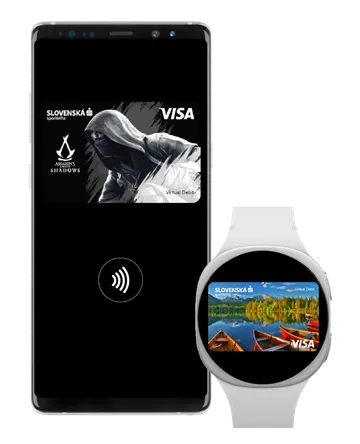

Why make contactless payments?
You decide how to pay
You can leave your card at home. All you need is a mobile phone or watch.- Make a lightning-fast payment
Your purchase is made in just seconds.
- Quick, easy, no time wasting
Hold your device to the terminal (tap), and you’re done.😊
What else could you find useful
Wherever you find these symbols:
You can register all Visa debit cards in Google Pay.
Procedure for mobile phone:
Many mobile phones today come with a digital wallet already installed. If you don't have it yet, download it from the Google Play app store (requires a device running Android 9 (Pie) or later and with NFC support).
- Write Google Wallet in the search box.
- Tap on the application and then on the Install button.
- After confirmation by pressing the Agree button, the application will install.
Procedure for a watch:
Many watches today come with a digital wallet already installed. If you don't have it yet, download it from the Google Play app store via the watch itself (requires a device running in the Wear OS 2.x version or later and with NFC support).
- Write Google Wallet in the search box.
- Tap on the application and then on the Install button.
- After confirmation by pressing the Agree button, the application will install.
Procedure for mobile phone:
The fastest way to add a card to the digital wallet is via the George app. If you have just created your account, you don’t have to wait for delivery of the physical card itself – you can add it immediately. Click on the card icon in the upper menu of the main screen Overview, select the card you want to add, then Functions – Add to Google Wallet service and proceed according to the instructions.
If you add the card directly via the digital wallet, you need to have the data from the actual card itself. Open the Google Wallet app, click on Add card and proceed according to the instructions. The bank may also request a one-time verification (via SMS, e-mail, bank app).
Procedure for a watch:
- Open Google Wallet.
- Select the option Add card.
- Add required data from the card.
- Consent to the Terms and Conditions of the bank and Google.
- Verify the card via the bank (usually by SMS code).
- Set a security PIN code or pattern.
- And that's it, the card is stored in the watch. After successful verification, the card will be active and you can start making payments with it. 🎉
Contactless payments in stores are really simple:
- Unlock the device (security PIN code/pattern).
- Turn on NFC.
- Hold the device to the contactless payment terminal (by the back of the mobile phone, whereas the watch is held up to it facing forward).
You can also make contactless payment by mobile phone in e-shops and applications:
- If the e-shop/application enables payment via Google Pay, click on one of the payment buttons GPay/Pay on Google.
- Before confirming the purchase order, a prompt may be displayed to select the payment method and add a delivery address.
Yes, in fact contactless payments are even more secure than by regular card payments, because the merchant sees no information from your card. Data is not stored directly on the mobile phone/watch – unique card numbers are used – so-called tokens, which protect your data.
Payments are moreover protected by biometric verification (Face ID, fingerprint) or by PIN code.
No, you only need to be connected to the Internet during card registration. From time to time however, it is necessary to connect to the Internet so data can be updated.
No, use of the service is free of charge.
You can withdraw cash via Google Pay if the ATM supports contactless withdrawals. When doing so, you must enter the PIN assigned to your physical card.